Purchasing an Escape Card
Escape Cards can be purchased online, at the mountain, or from a third party vendor such as your local ski shop.
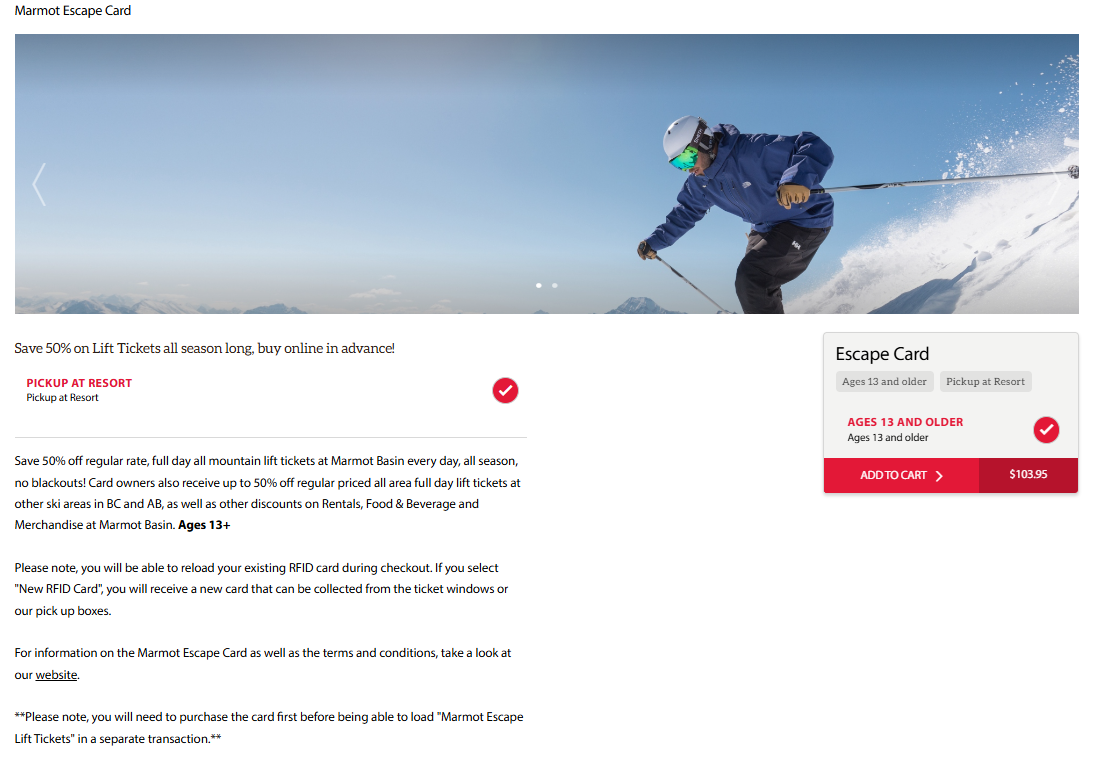
If purchasing your Escape Card online, navigate to the Marmot Escape Card heading at the top of the page or from the sandwich menu in the right hand corner.
Choose "Shop Now" on the Escape Card button.

This will redirect you to the Marmot Escape Card landing page, and you will notice that "Pickup at Resort" is automatically checked. When purchasing online, your Escape Card must be picked up at the mountain at any ticket window or the pick-up boxes located outside our retail store. You can also pick up your Escape Card at the Marmot Town Store in Jasper.
Add your Escape Card to your cart and complete the checkout process. You will need to sign in to your account, or create a new account if you don't already have one.
For help with accessing or creating a new account, click the links below:
- Accessing My Account
- Creating a New Account
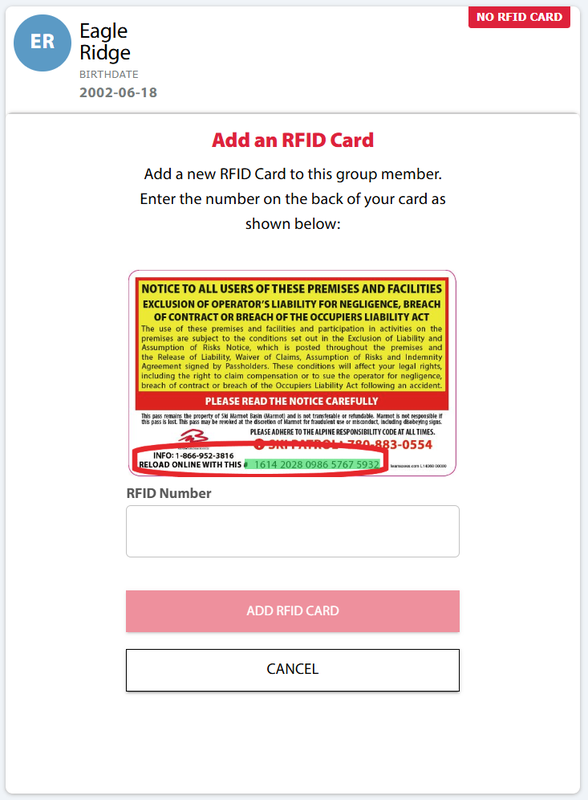
Once you pick up your Escape Card, you can now assign the new RFID number to the correct group member in your account.
Assigning your RFID Card
Once you have picked up your Escape Card, you can assign the new RFID number, located on the back of the card, to the correct Group Member in your account on the online store. You must assign the RFID number to the correct Group Member before you can purchase your half price lift tickets. Our Guest Services team can help you with this on the mountain or at the Marmot Town Store in Jasper!
If you purchased your Escape Card from a ski shop or other vendor, you can assign the RFID number from the back of the card to the correct Group Member, and you are ready to purchase Escape Card lift tickets!
Once your Escape Card has been purchased, and the RFID number assigned to your account, you can now purchase tickets online.
Need an account? Click here for help on how to create one online!
Place the Escape Card in the left pocket of your jacket once your lift tickets have been loaded and head straight to the lifts!