Purchase Escape Card Lift Tickets
Once you have purchased your Escape Card and assigned the RFID number to the correct Group Member, you can now purchase lift tickets online!
Navigate to the Marmot Escape Card page on the Online Store.
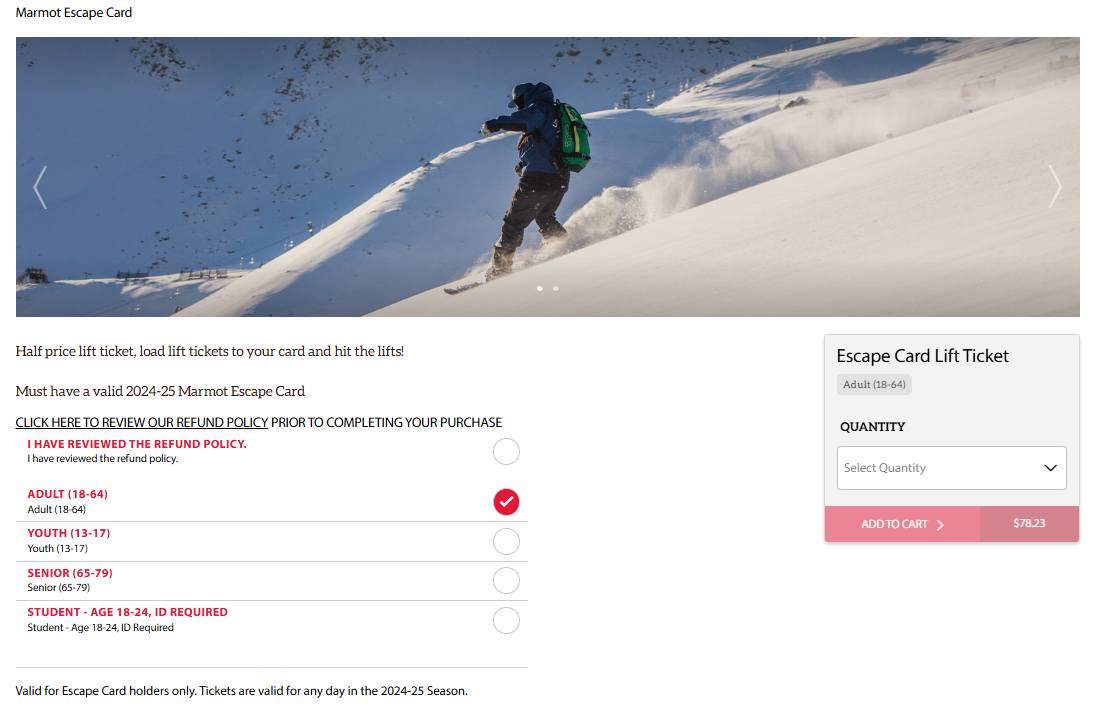
Choose "Escape Card Lift Ticket" and "Shop Now." This will redirect you to the next page where you can choose which type of half price lift ticket you need.

Choose the Escape Card lift ticket that you need: adult, youth, senior, or student. On the right, choose the amount of tickets you would like to purchase. You can choose up to 10, and use them on any day during the season!
You must click that you have reviewed the Refund Policy at the top before you can proceed.
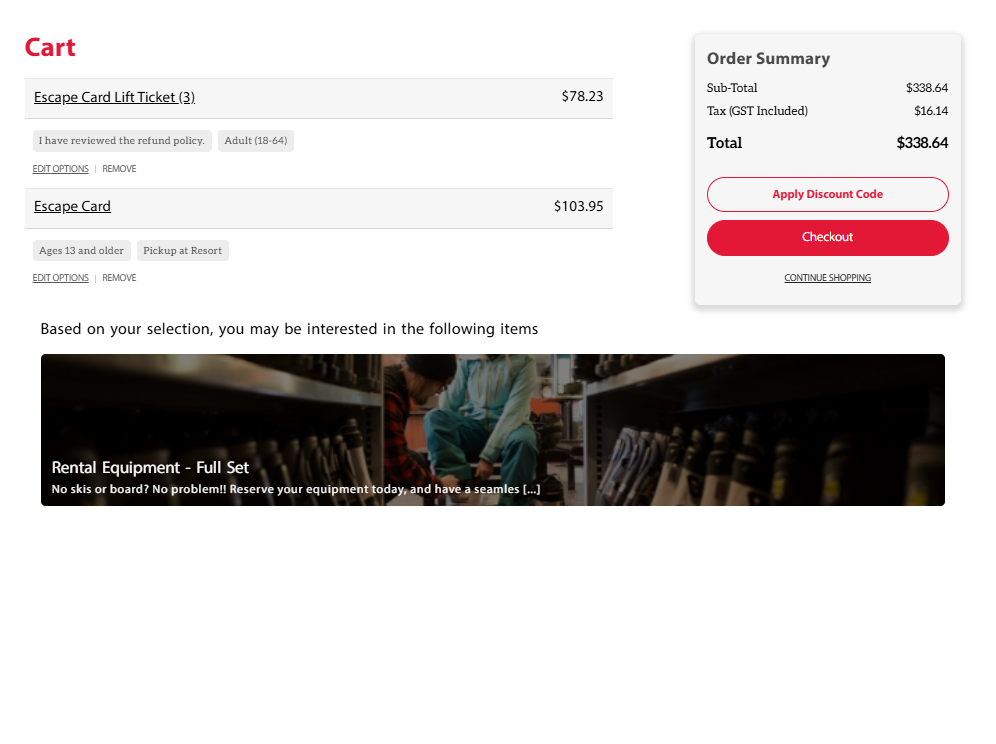
Once you choose "Add to Cart," a drop-down menu will appear showing your cart. You can choose to "View Cart" or proceed to the checkout. Review your cart on the next page.
If everything looks correct, choose "Checkout." You will now be redirected to the page where you will assign Escape Card Lift Tickets to the correct Group Members.
Assigning & Loading Escape Card Lift Tickets
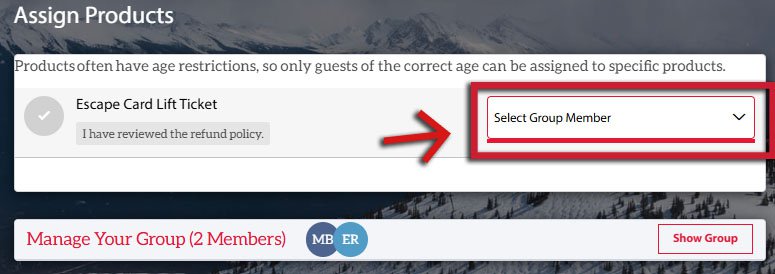
Group Members must have Escape Card RFID numbers assigned to their account before you can assign lift tickets. Choose the correct Group Member from the drop down menu on the right.
Once all members have been assigned correctly, the red box at the bottom will appear, and you can choose "Continue." You can now complete your transaction. Your lift tickets will be automatically loaded onto your Escape Card. Place the card into your left jacket pocket, and head straight to the lifts!