Select A Date

  • Weather & Conditions
  • Lifts, Trails & Grooming
  • Food & Drinks
  • Terrain Park
  • Mountain Stats
  • Family Terrain
  • Expert Terrain
  • Mountain Tours

More Information

  • Hours of Operation
  • Jesse & Jake Kertesz-Knight
  • Marmot's Story
  • Environmental Initiatives
  • Alpine Safety
  • Lost and Found
  • Long Range Plan
  • Inclusivity Statement
  • Travel Trade Toolkit
  • Lift Tickets
  • Marmot Escape Card
  • Family Package
  • Season Passes
  • Reload Your RFID Card
  • Marmot Town Store
  • The Mountain Collective

More Information

  • Groups
  • Deals & Promotions
  • Gift Certificates
  • Lessons
  • Rental Equipment
  • Locker Rentals

More Information

  • Ability Guide
  • Group Programs
  • Alpine Safety
  • Hours of Operation
  • Getting Here
  • Where to Stay
  • Deals & Promotions
  • Upcoming Events
  • Child Care
  • Groups

More Information

  • News & Updates
  • Alpine Safety
  • Jasper, Canada
  • Dining in Jasper
  • Jasper Activities

More Information

  • Deals & Promotions

Creating Your Account

If you've never purchased anything from Marmot Basin before, you will need to create a new account.

Already have an account? Click here to start adding lift tickets

Creating Your Account

Creating Your Account

Once you have navigated to the 'Sign In' page, you can sign in to your existing account, or create a new account.

Click "Create an Account" at the top of the sign in page - you will be redirected to fill in all the information needed for your new account.

Please remember your password, as you will need it to log in to your account in the future.
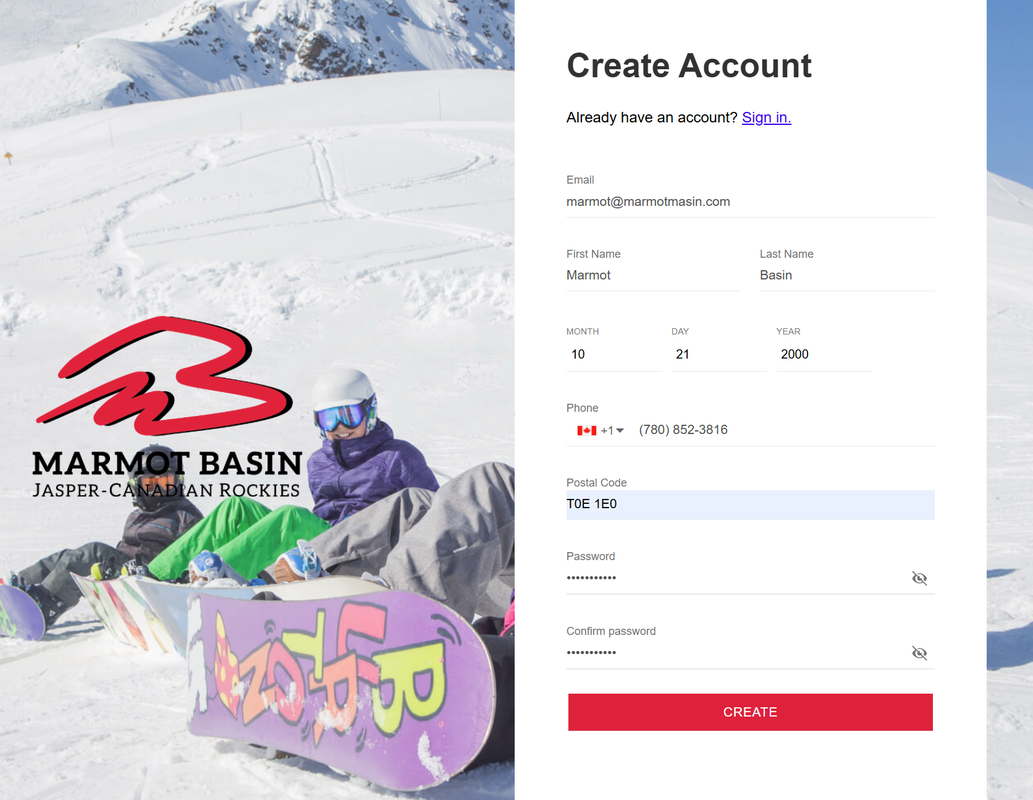
Once you have created your account, you can now log in to the Online Store!

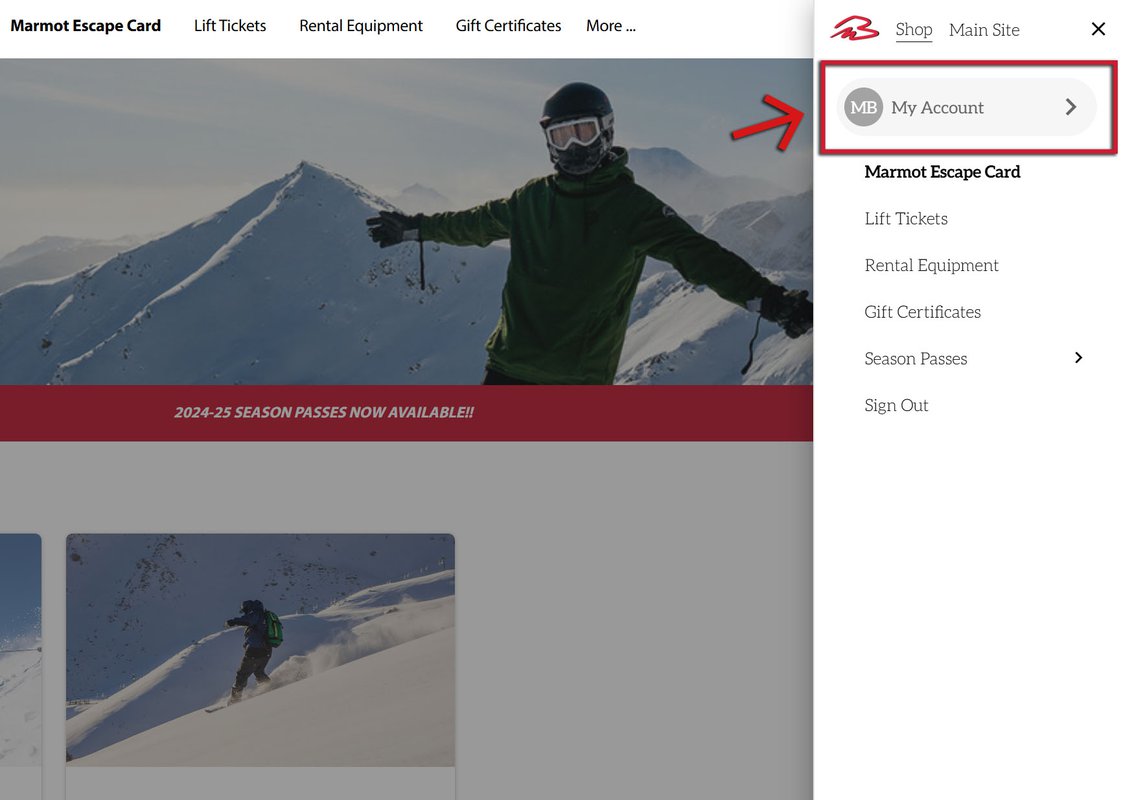
You will be redirected to the same landing page as when you first accessed the store. Navigate to your account by clicking the menu in the top right hand corner (three horizontal lines), and click "My Account."

Ensure that all your information is correct! You can also upload a photo to your account, add additional group members, and add existing RFID cards if they have not already been assigned to your account.
When do I add additional group members?

If you wish to have additional group members to your account, if you have children for example, you can set up their profile now! You can then purchase multiple passes at the same time, assign them to the appropriate group member, pay in one simple transaction, and head to the lifts!

You are welcome to add as many group members to your account as you like. If there are other people who may need to access your account in the future, please ensure they have your login information.
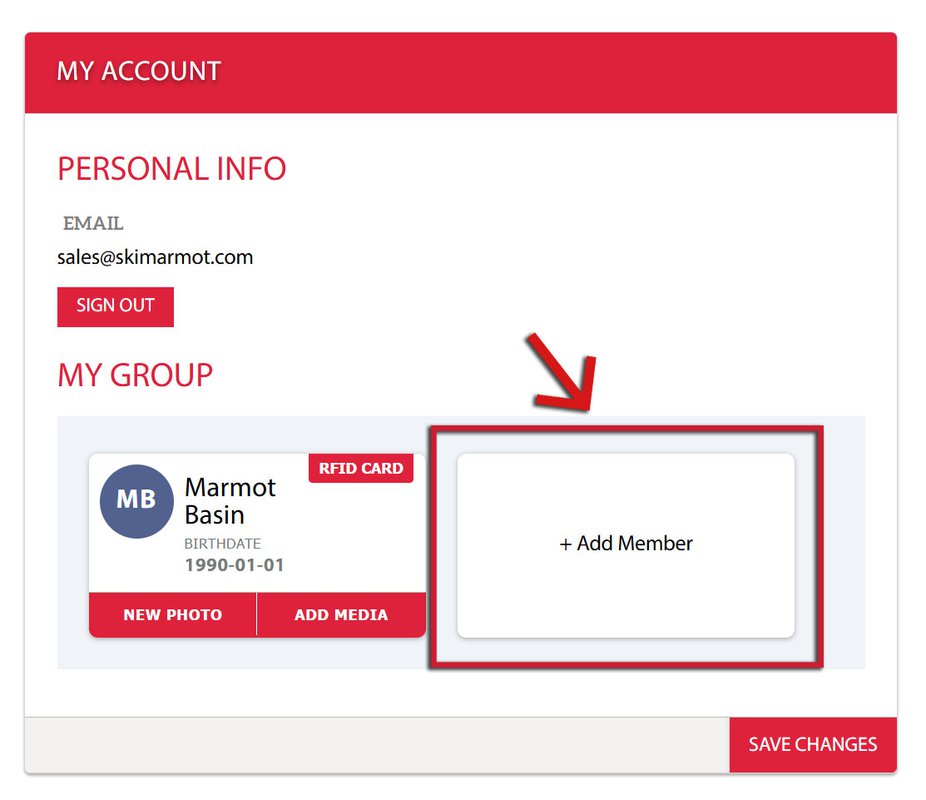
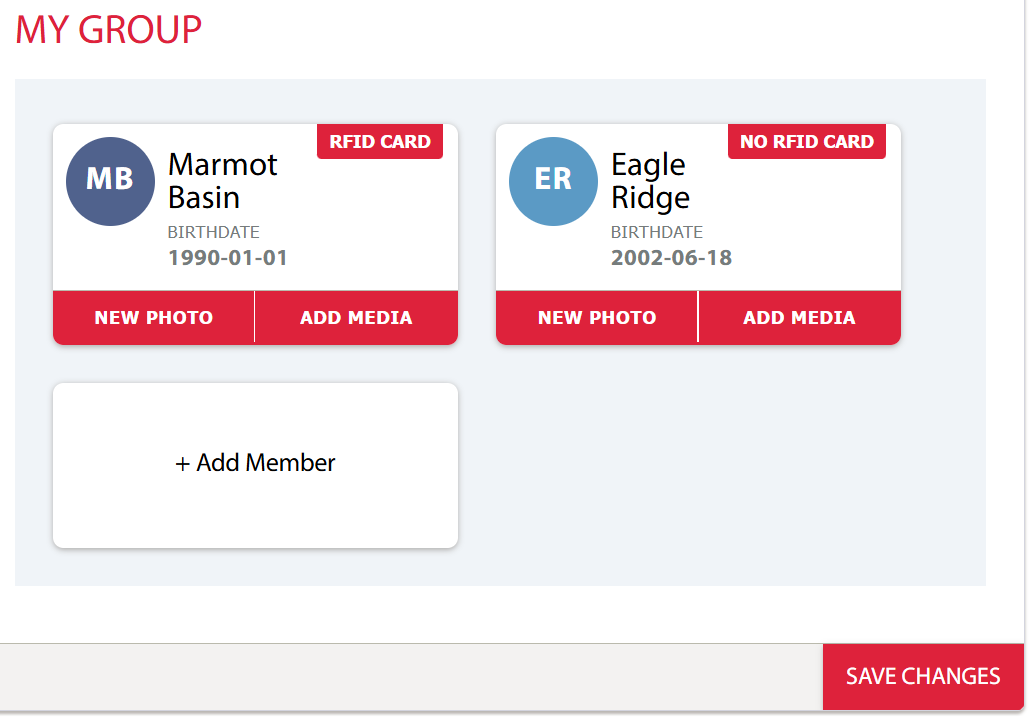
To add a new group member, you will need their:

  • Full Name
  • Date of Birth
  • Photo (optional)

Once added, they will appear next to you in your group.

You can now being purchasing passes!