
Assign Your RFID Card
You may already have an RFID card from a previous season, a previous visit, or if you have purchased one from a vendor! If you already have an RFID card assigned to your group member, it will automatically choose "Reload RFID Card." If you don't have an RFID card, it will automatically choose "Add New RFID Card" and add the $6.00 card cost to your total.
NOTE - you can only re-use RFID Cards for the same product from season to season. For example, and Escape Card can only be used as an Escape Card in consecutive season.
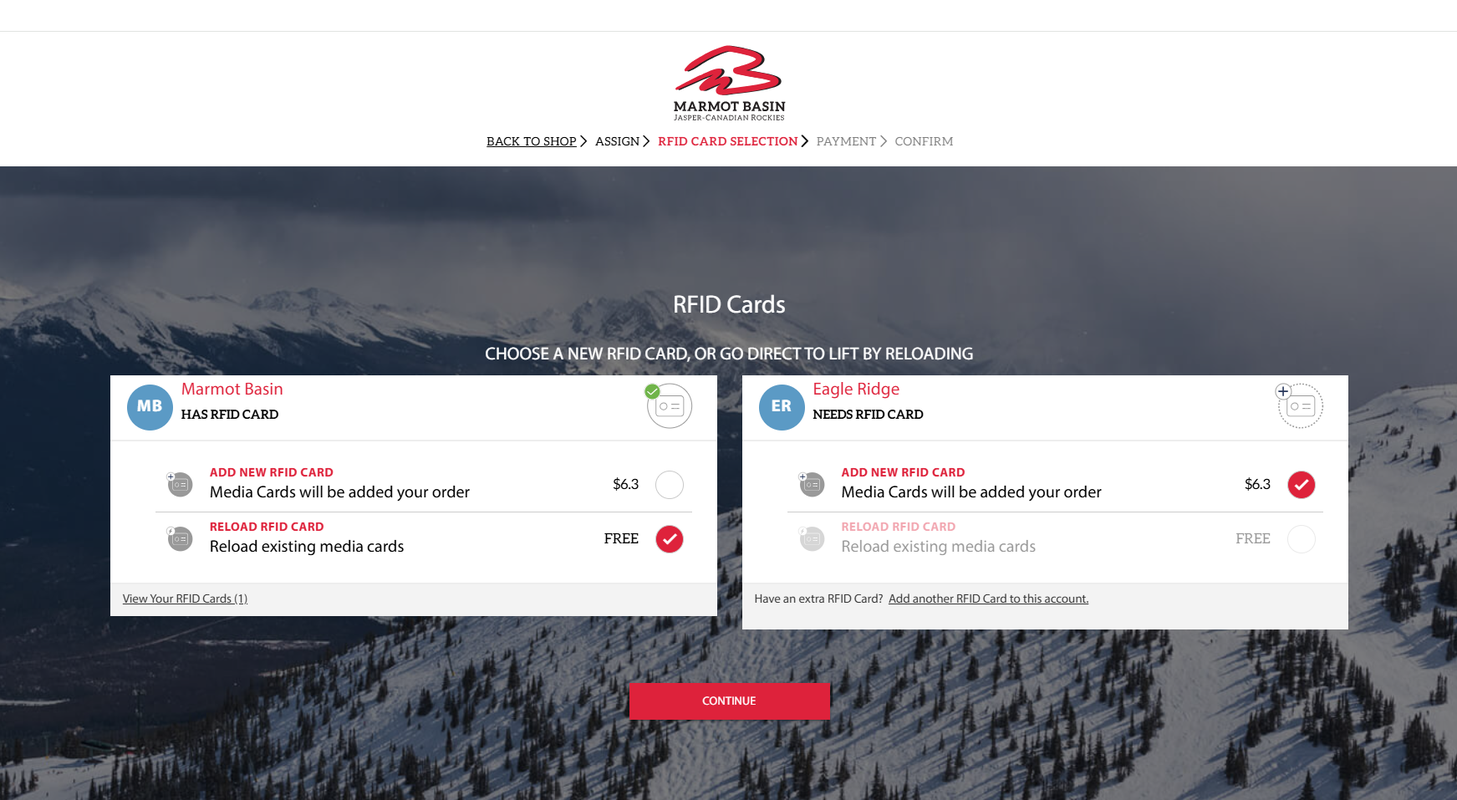
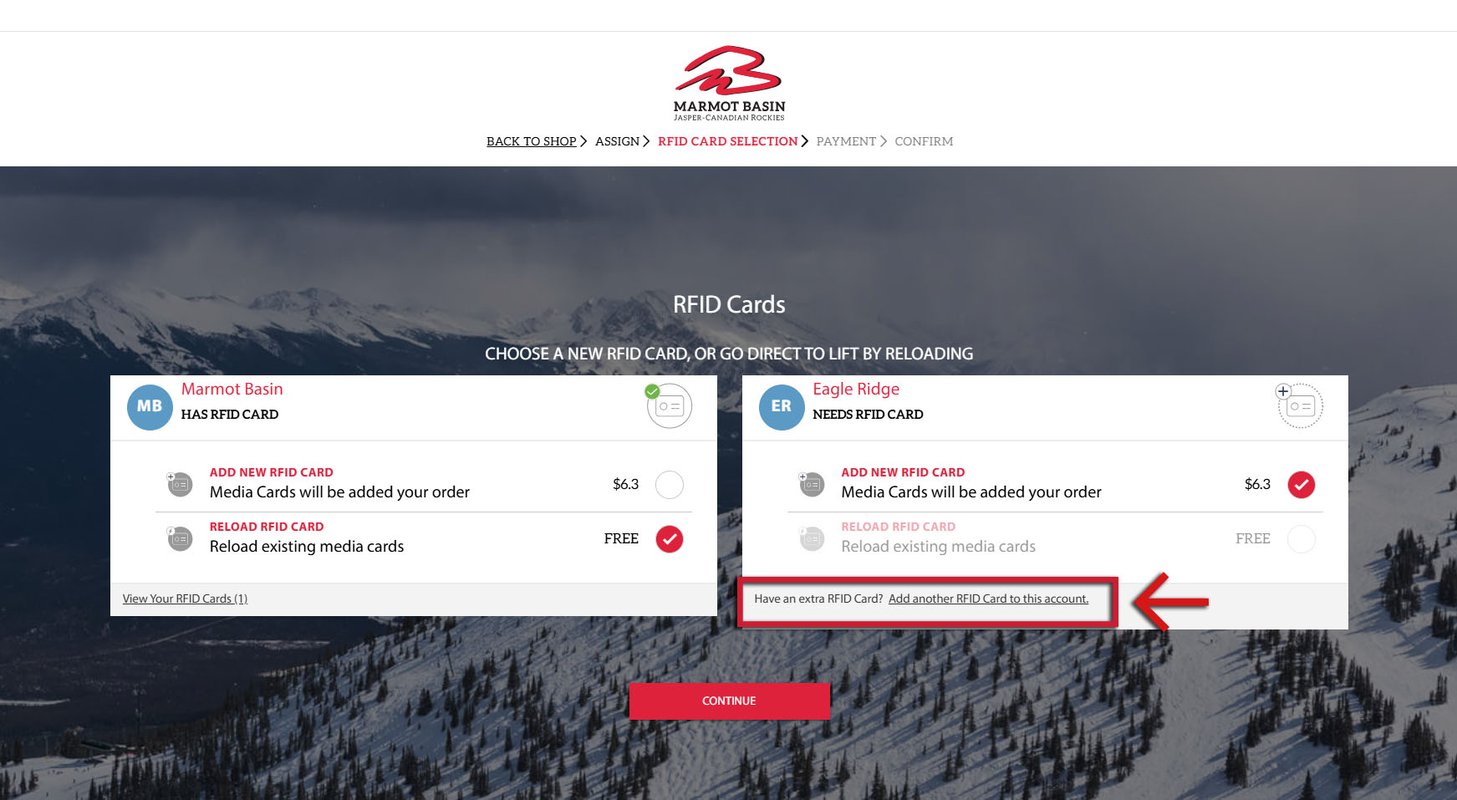
If you already have an RFID Card, but you have not yet assigned it to a group member (for example, if you have purchased an Escape Card from a vendor, or have a card from a previous season that has not been assigned), you can do so now. Simply choose "Add Another RFID Card to this Account."
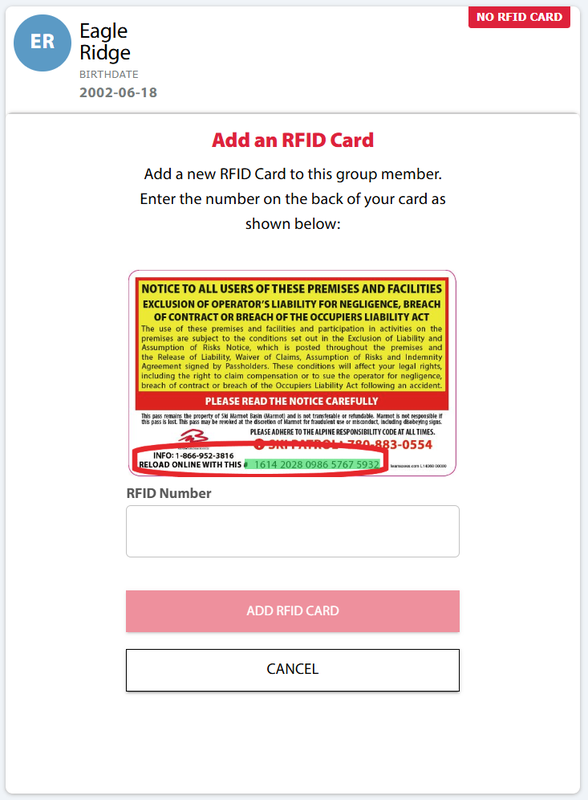
Once you've chosen to add another RFID card, you will receive a pop-up where you will enter the RFID Card number found on the back of your card.
Once all RFID cards have been added, or appropriately assigned, you can now click "Continue."
You will be redirected to enter your payment information and complete your transaction.
Once you have confirmed your transaction, your payment process is complete!
You will receive an email with your ticket confirmation and details about how to pick up your pass!
If you already had an RFID Card you can head straight to the lifts!
Picking Up New RFID Cards
Purchased your pass and new RFID card online and ready to pick them up?
Once your transaction is complete you should receive an email with your pick-up details! You can pick-up your pass at various locations. Have your email confirmation ready and head to:
- The Marmot Town Store located at 611 Patricia Street in Jasper
- Any ticket window on the mountain
- One of our pick-up boxes on the mountain, located between the Outer Limits Retail Store, and the Rentals Department
If you're going contactless and utilizing one of our pick-up boxes, have your confirmation email ready and scan your code to collect your card. It's already loaded with your ticket, so you can go straight to the lifts.
