Select A Date

  • Weather & Conditions
  • Lifts, Trails & Grooming
  • Food & Drinks
  • Terrain Park
  • Mountain Stats
  • Family Terrain
  • Expert Terrain
  • Mountain Tours

More Information

  • Hours of Operation
  • Jesse & Jake Kertesz-Knight
  • Marmot's Story
  • Environmental Initiatives
  • Alpine Safety
  • Lost and Found
  • Long Range Plan
  • Inclusivity Statement
  • Travel Trade Toolkit
  • Lift Tickets
  • Marmot Escape Card
  • Family Package
  • Season Passes
  • Reload Your RFID Card
  • Marmot Town Store
  • The Mountain Collective

More Information

  • Groups
  • Deals & Promotions
  • Gift Certificates
  • Lessons
  • Rental Equipment
  • Locker Rentals

More Information

  • Ability Guide
  • Group Programs
  • Alpine Safety
  • Hours of Operation
  • Getting Here
  • Where to Stay
  • Deals & Promotions
  • Upcoming Events
  • Child Care
  • Groups

More Information

  • News & Updates
  • Alpine Safety
  • Jasper, Canada
  • Dining in Jasper
  • Jasper Activities

More Information

  • Deals & Promotions

Assigning Group Members

Once all your lift tickets have been added to the cart, you can assign them to the appropriate group member

Assigning Group Members

Assign Group Members

Once you have added all your tickets, you can review your cart to ensure everything is correct.
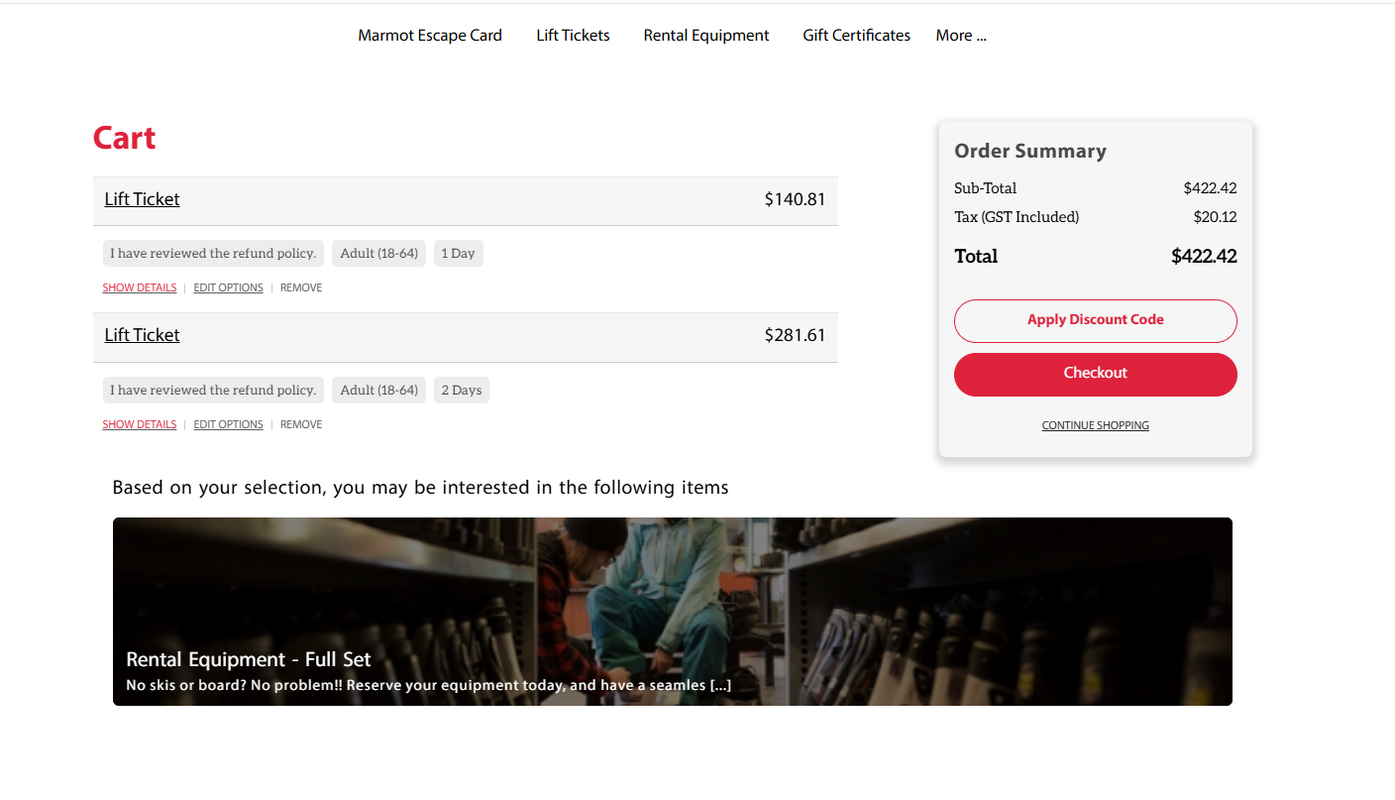
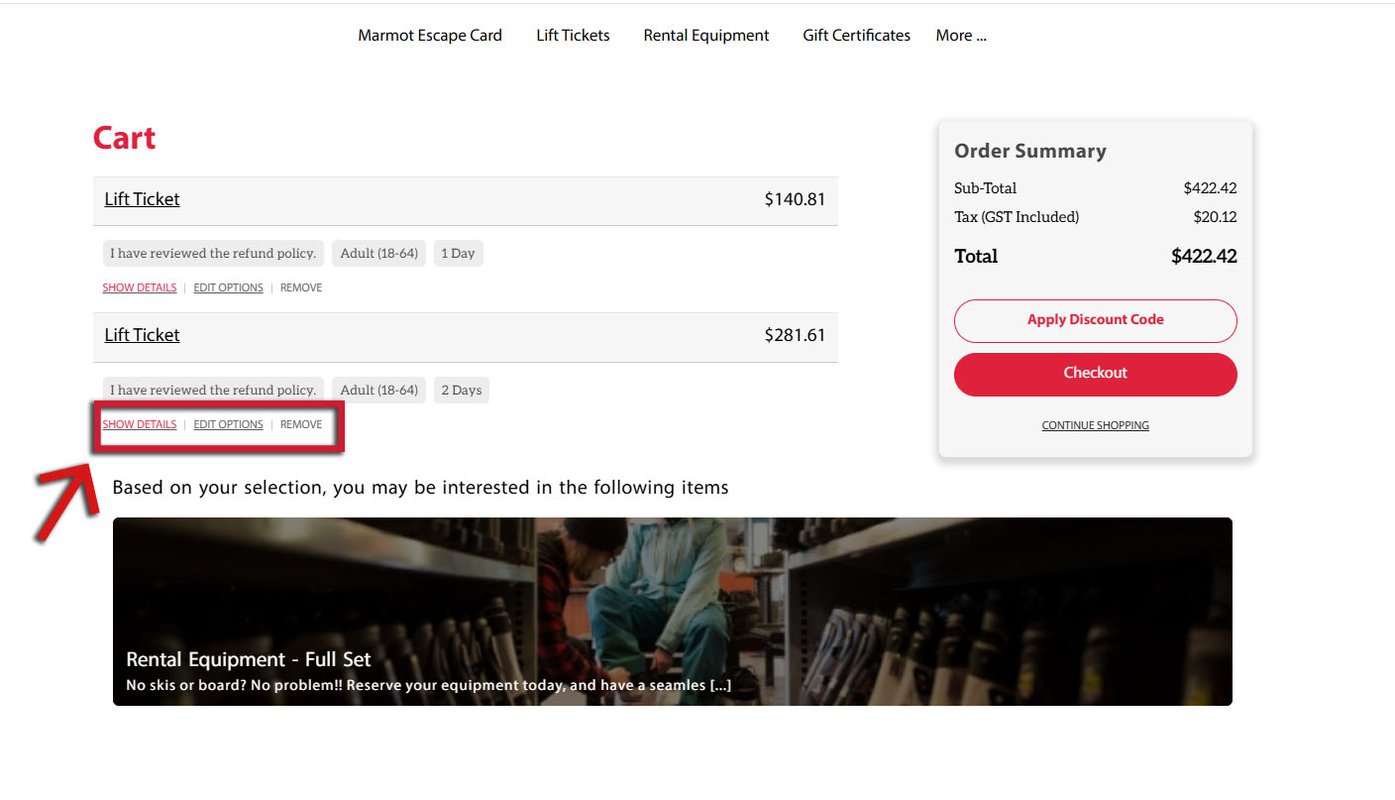
If you need to edit anything in your cart, or remove items, you will see the options under each item.

Once everything is correct, choose "Checkout."
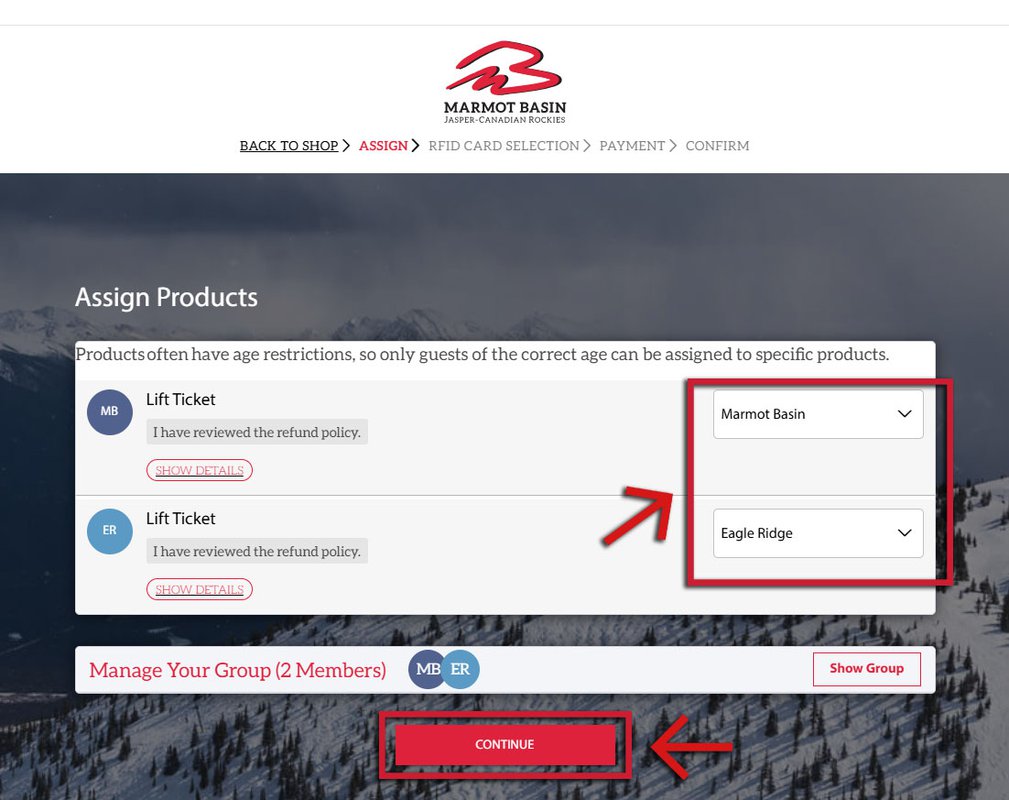
You will now assign the different tickets to the different group members on your account!

Choose the appropriate Group Member for the ticket from the drop down menu on the right. Once all members have been assigned correctly, the red box at the bottom will appear, and you can choose "Continue."