Select A Date

  • Weather & Conditions
  • Lifts, Trails & Grooming
  • Food & Drinks
  • Terrain Park
  • Mountain Stats
  • Family Terrain
  • Expert Terrain
  • Mountain Tours

More Information

  • Hours of Operation
  • Jesse & Jake Kertesz-Knight
  • Marmot's Story
  • Environmental Initiatives
  • Alpine Safety
  • Lost and Found
  • Long Range Plan
  • Inclusivity Statement
  • Travel Trade Toolkit
  • Lift Tickets
  • Marmot Escape Card
  • Family Package
  • Season Passes
  • Reload Your RFID Card
  • Marmot Town Store
  • The Mountain Collective

More Information

  • Groups
  • Deals & Promotions
  • Gift Certificates
  • Lessons
  • Rental Equipment
  • Locker Rentals

More Information

  • Ability Guide
  • Group Programs
  • Alpine Safety
  • Hours of Operation
  • Getting Here
  • Where to Stay
  • Deals & Promotions
  • Upcoming Events
  • Child Care
  • Groups

More Information

  • News & Updates
  • Alpine Safety
  • Jasper, Canada
  • Dining in Jasper
  • Jasper Activities

More Information

  • Deals & Promotions

Adding Lift Tickets to Your Account

Once you have created your account, and added any additional group members necessary, you can now purchase lift tickets, Escape Cards and Escape Card lift tickets, season passes, rental equipment, and gift certificates.

Adding Lift Tickets to Your Account

Adding Lift Tickets and Passes

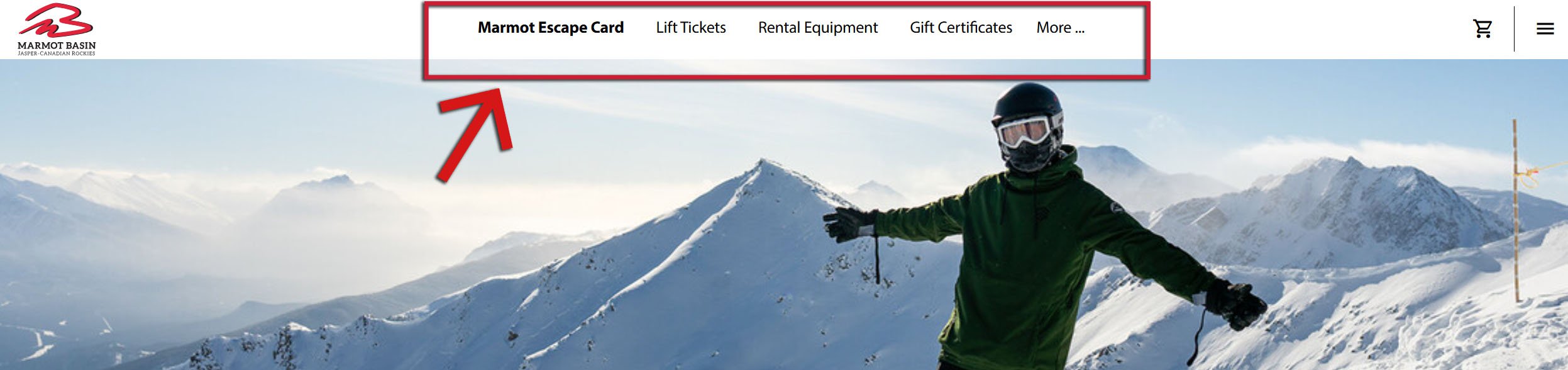
Navigate to the top of the page in the Online Store, and select the ticket you are looking for!

Once you have navigated to the correct page for your ticket type, choose "Shop Now" in the red bar corresponding to the ticket type you're looking for.

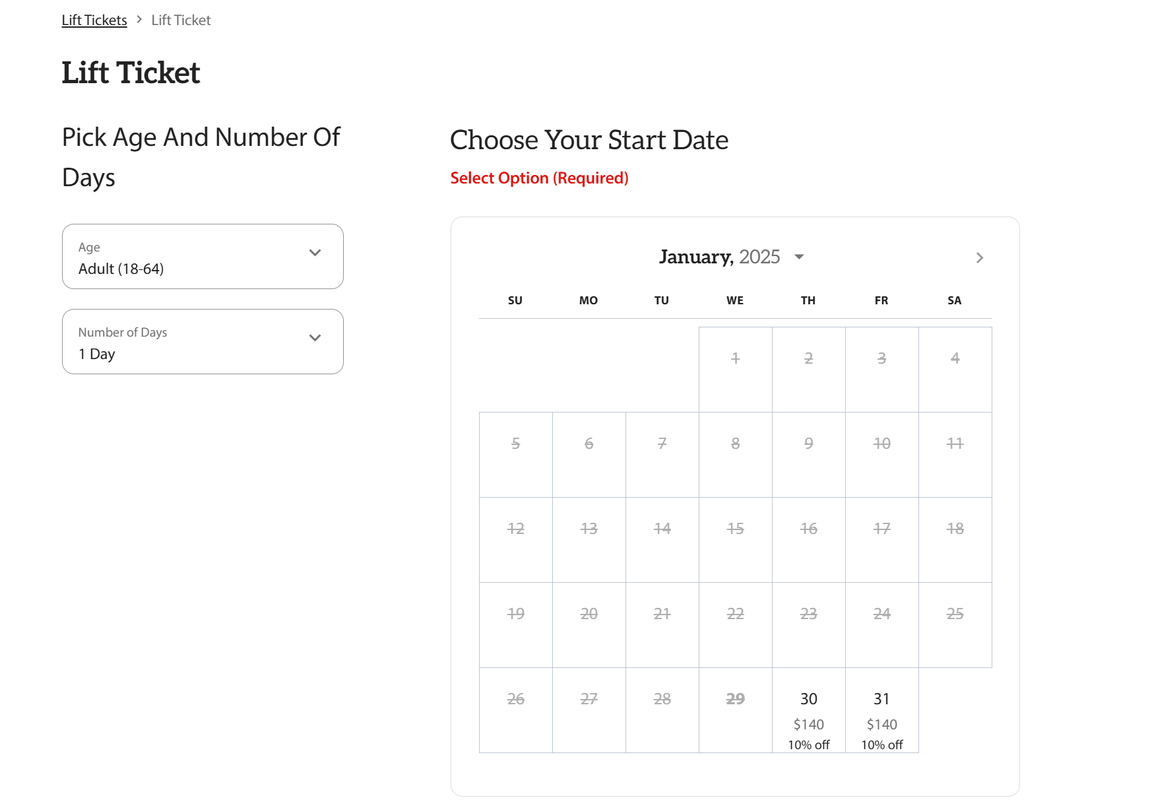
For full day lift tickets, you will be redirected to a page where you will choose how many days you wish to purchase, as well as the date you will be visiting.
Choose the age and the number of days you wish to purchase (NOTE - these are consecutive days) from the drop down menus on the left, then choose the date you will be visiting from the calendar on the right.

PLEASE NOTE: If you are looking to buy lift tickets for more than one group member, you will need to add these one at a time. For example:

  1. Choose your adult lift ticket for yourself, and add to cart
  2. Navigate back to the menu at the top of the page and choose the next applicable ticket you wish to purchase
  3. Choose youth lift ticket for your child, and add to cart
  4. Complete this process as many times as necessary.
  5. You will assign lift tickets to group members during the check out process.

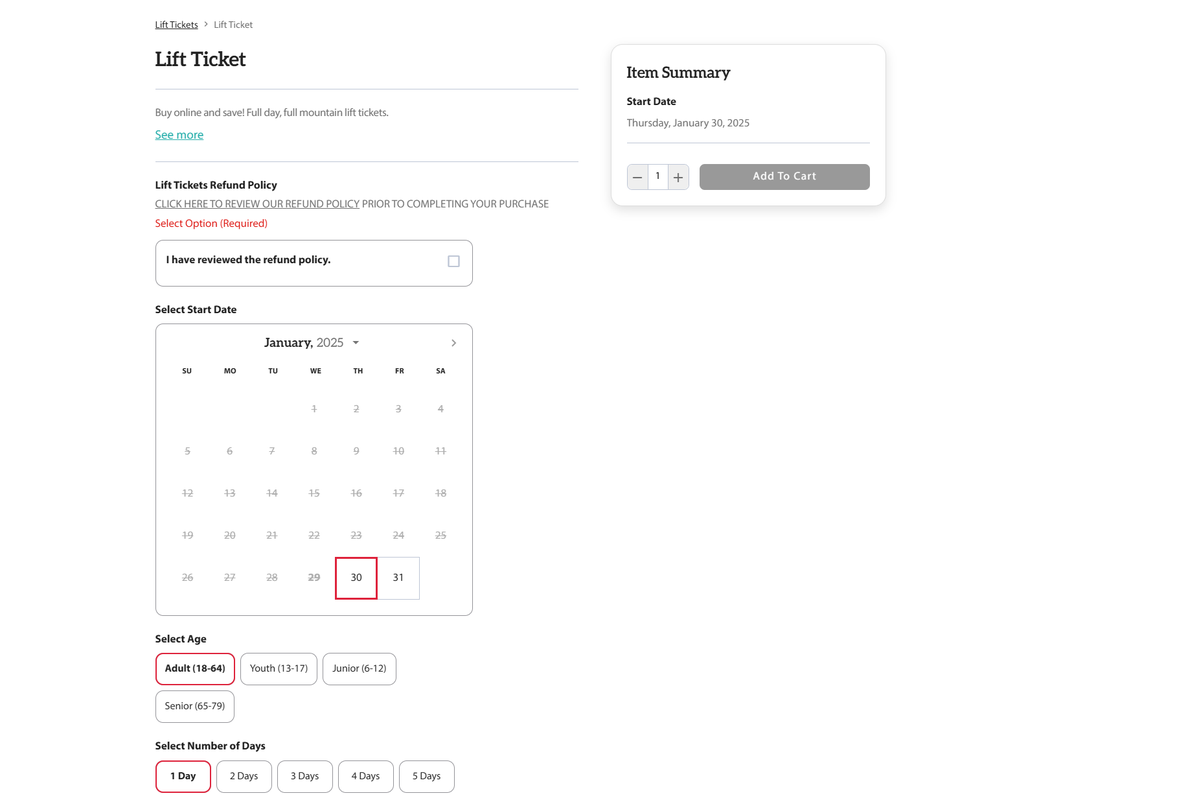
Once you have chosen your date on the calendar, you will automatically be directed to the next page.
Ensure all information is correct (age, number of days, date), check the box to confirm you have reviewed our refund policy (this is required to proceed), then choose "Add to Cart."
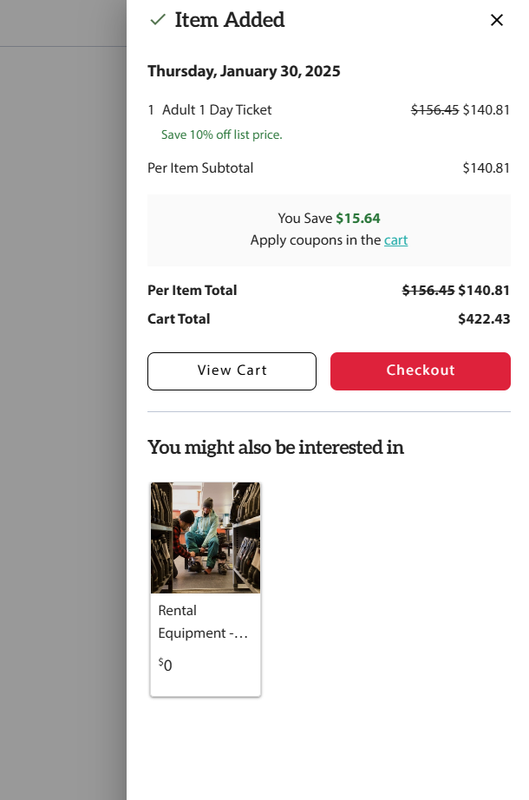
You will now see your cart in a pop-out box on the right side. You can choose to repeat the above steps to add any additional passes, "View Your Cart" to review all your passes, or proceed with the checkout process.