To access our online store, navigate to the top of our website and click "Online Store":

Once you have access to our Online Store, you will be navigated to the main landing page:
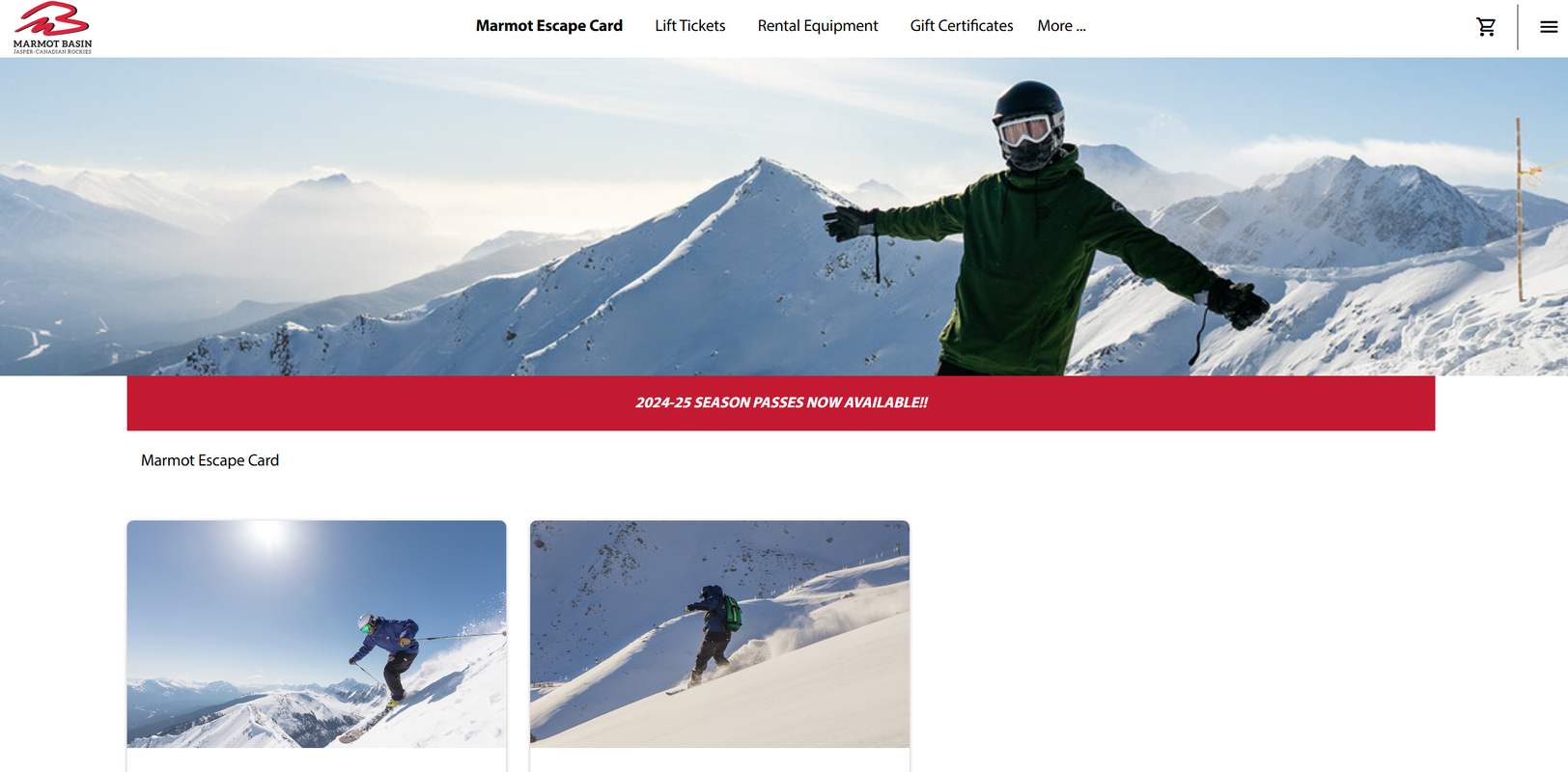
After navigating to the Online Store, you will now need to create an account or log in to your existing account.
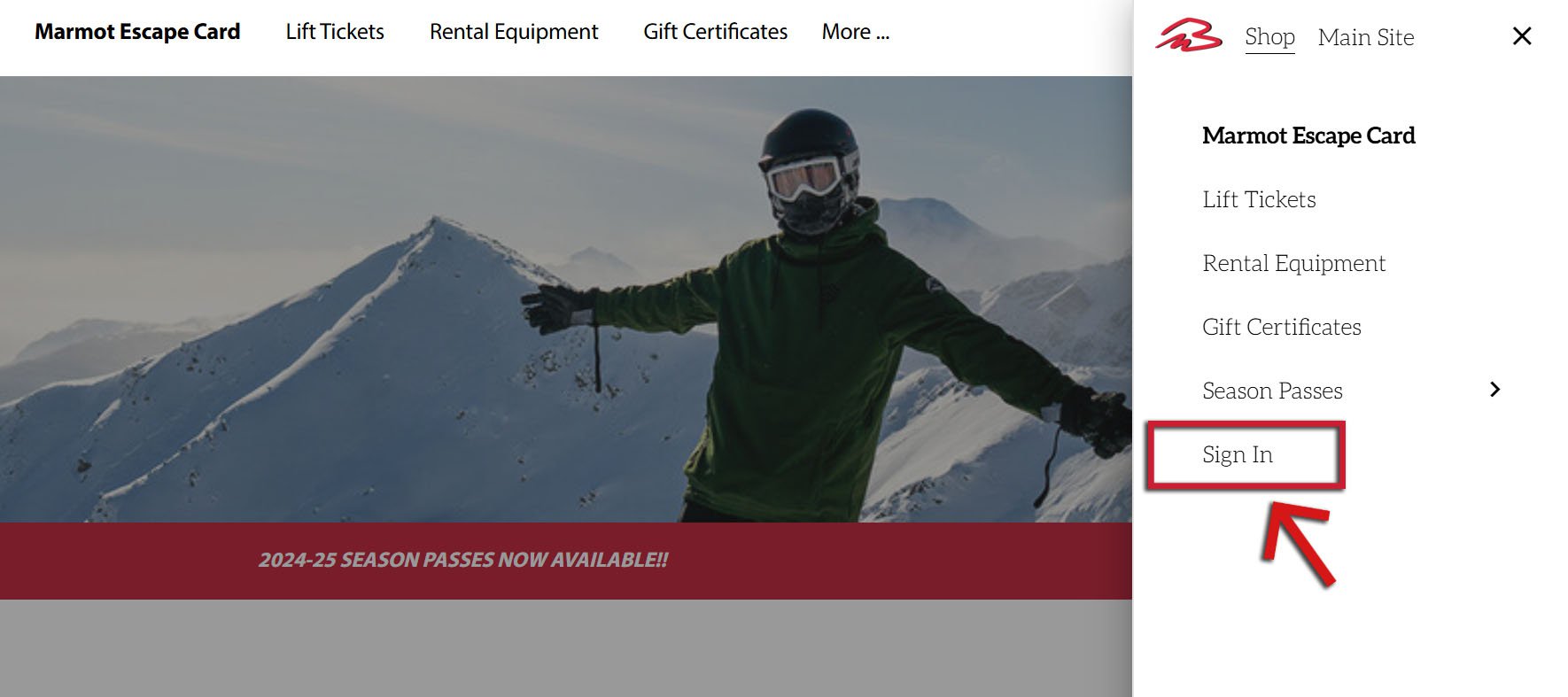
To log in or create a new account, navigate to the menu in the top right hand corner (three horizontal lines), and choose "Sign In" at the bottom of the pop-out menu.
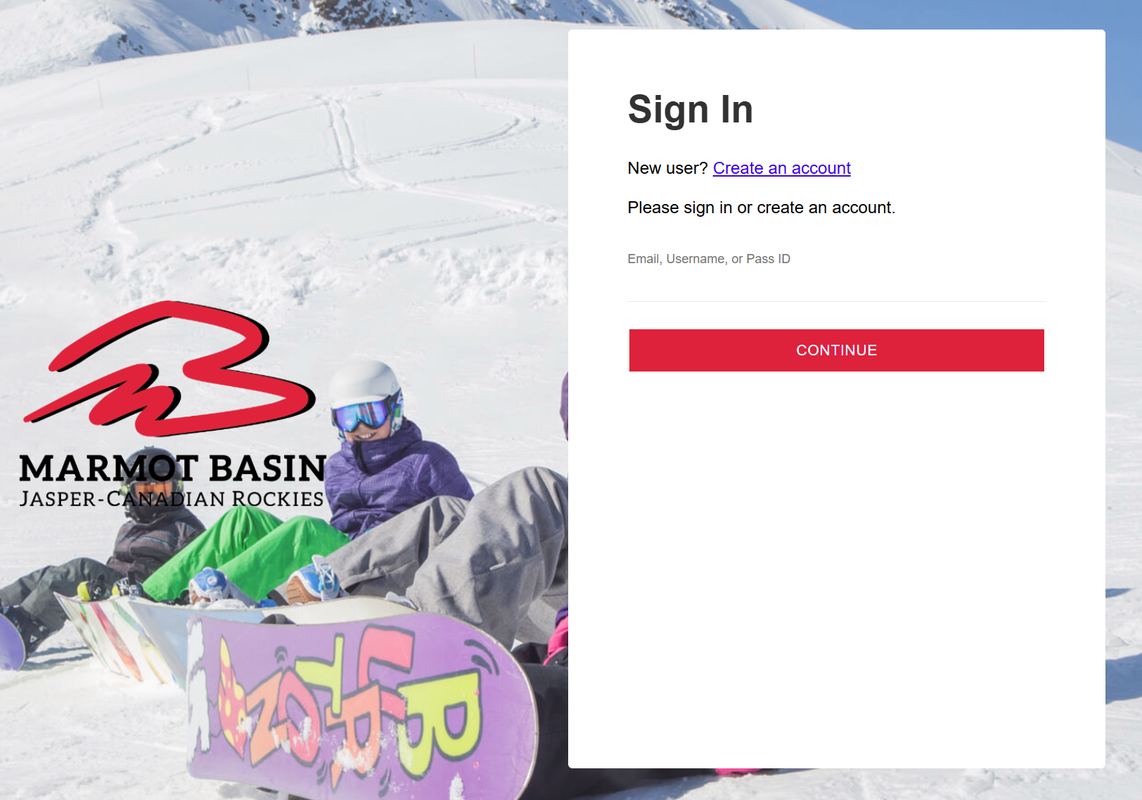
You will be automatically navigated to our Online Store Sign In page.
This is where you can log into your existing account, or create a new account by clicking "Create An Account" at the top.
Once you have signed in, you can now Create Your Account if you don't have one, or Add Lift Tickets to Your Account!